

SAP Integration Suite + AI: How Generative AI Speeds Up iFlow Development

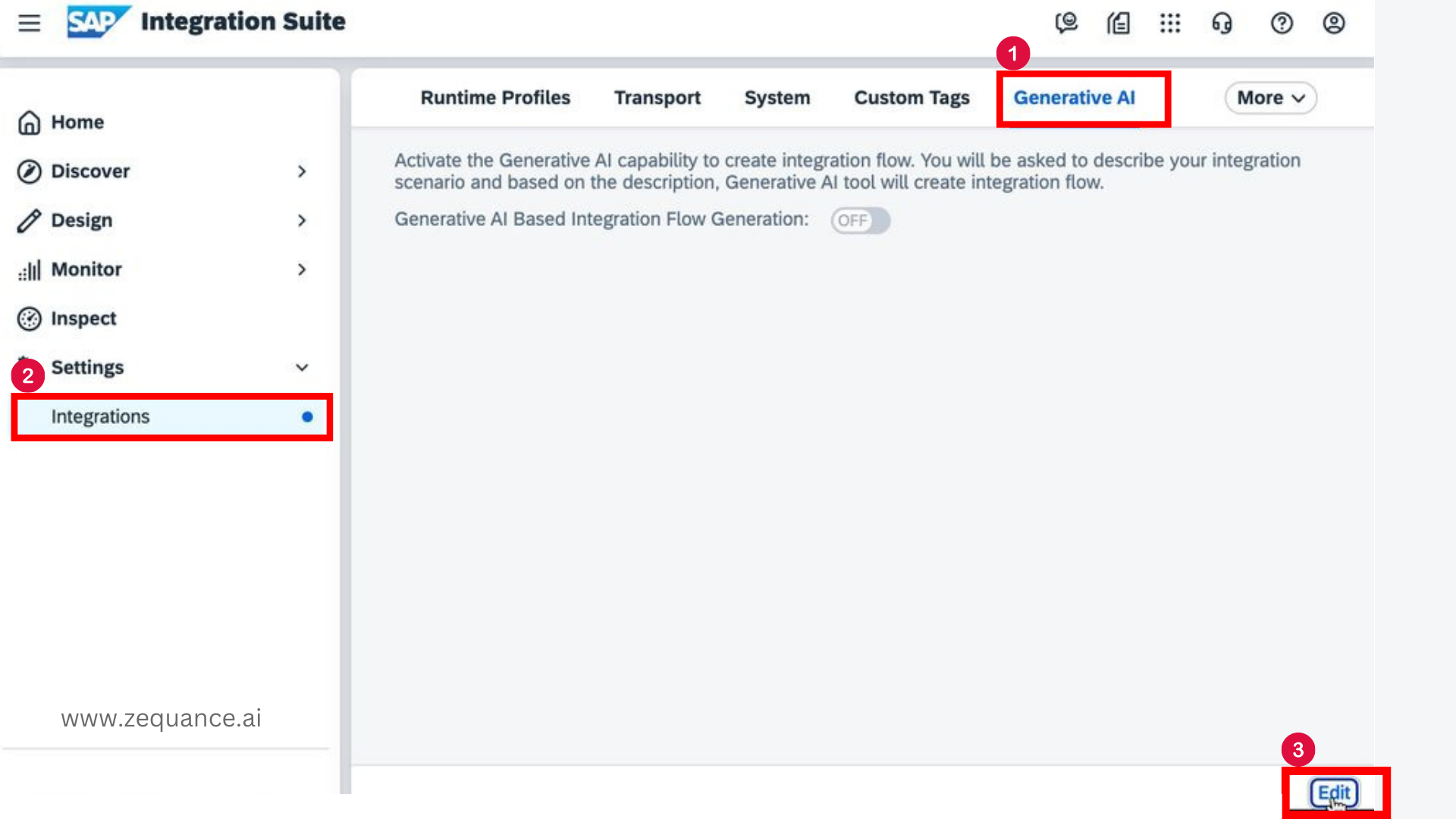
Step 1: Logon to the integration tenant.
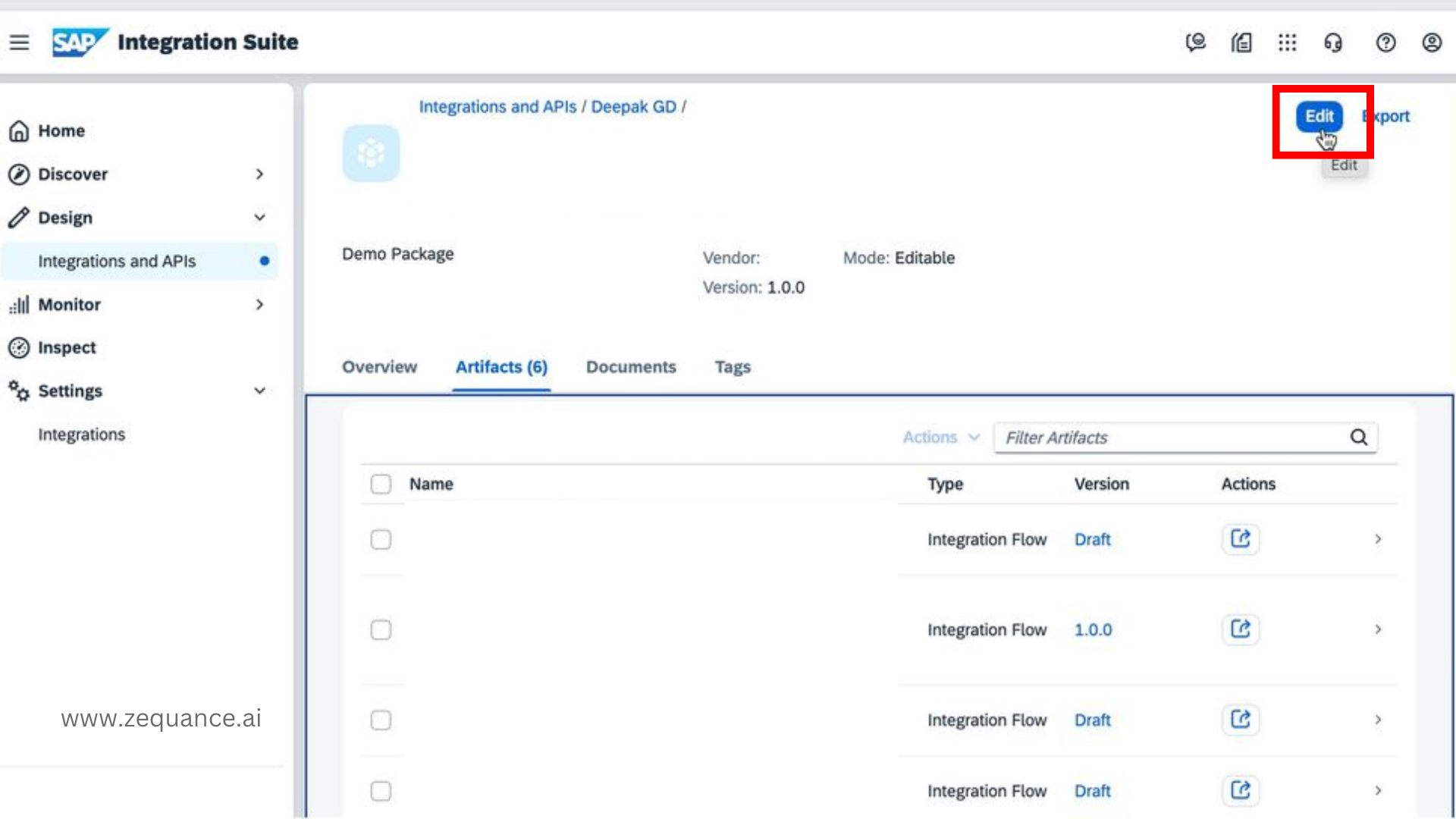
Step 2: Go to . And choose Edit.
Enable the Activate Generative AI Features checkbox.
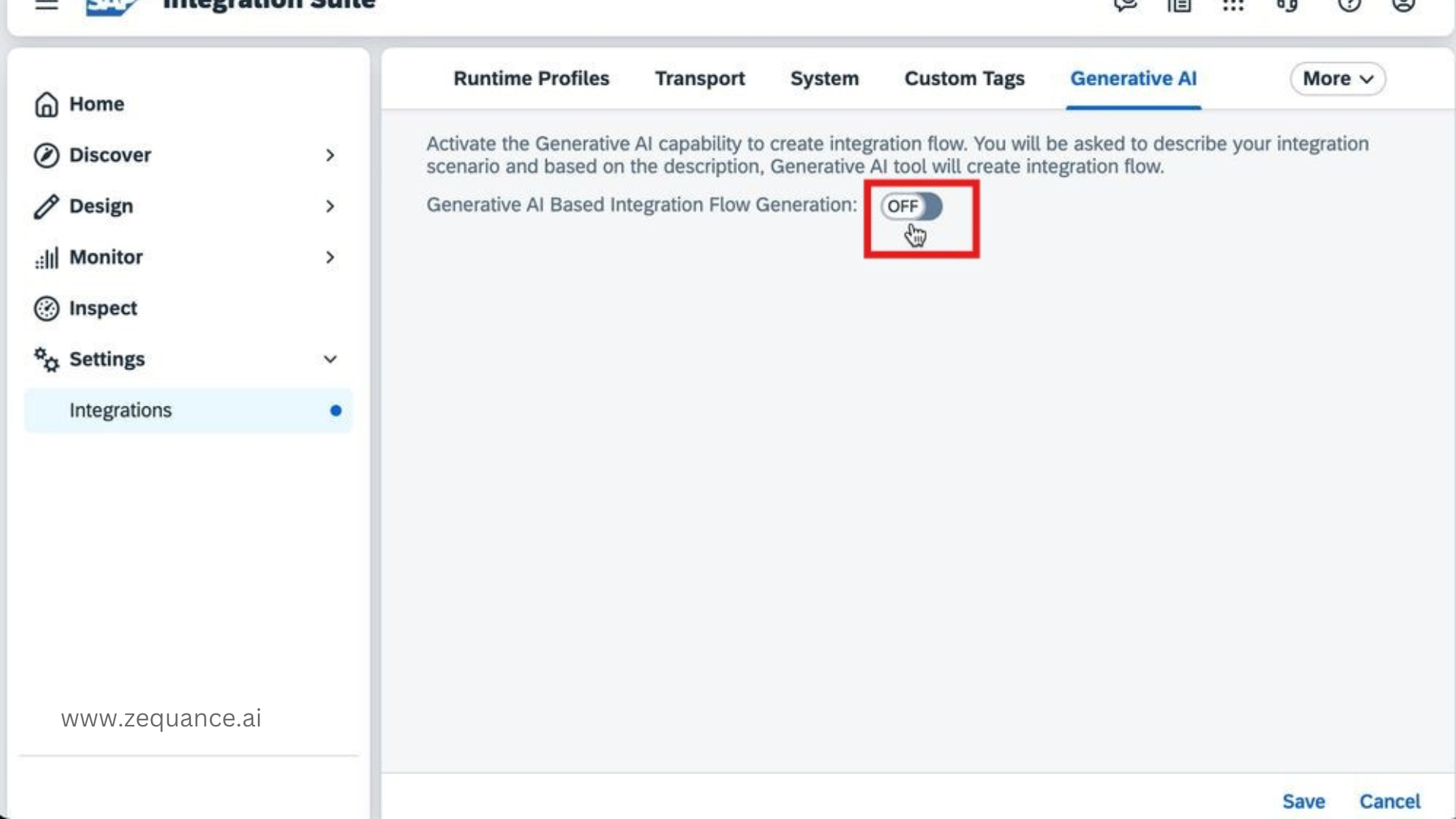
Next, click Save.

Stay Ahead in the SAP + AI Era
Join 10,521+ SAP Professionals mastering SAP AI every week. No spam. Unsubscribe anytime.
Generate Integration Flows with AI
Step 1: You need to add relevant systems like S/4Hana under System Landscape in SAP BTP Cockpit.
Once a successful SAP Integration Suite formation is established with relevant systems, the Generative AI-Based Integration Flow Generation feature automatically scans the systems and their APIs.
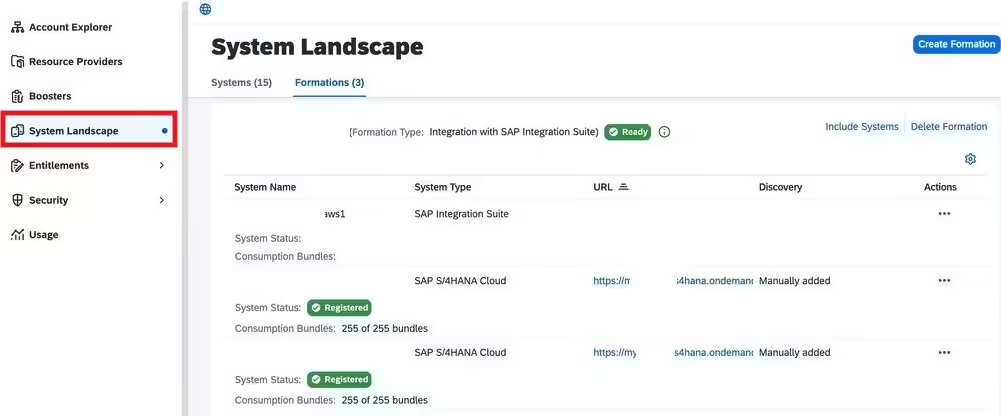
The systems and APIs will be visible in the Sender and Receiver sections of the Generative AI-based integration flow creation UI once the above is configured. This capability makes it much easier to select and link systems, simplifying the entire process of building iflows.
For detailed guidance on enabling and configuring System Landscape in SAP BTP Cockpit for SAP Integration Suite, please refer to the documentation.
Step 2: From the Integration tenant Navigate to Integrations and APIs > Edit.
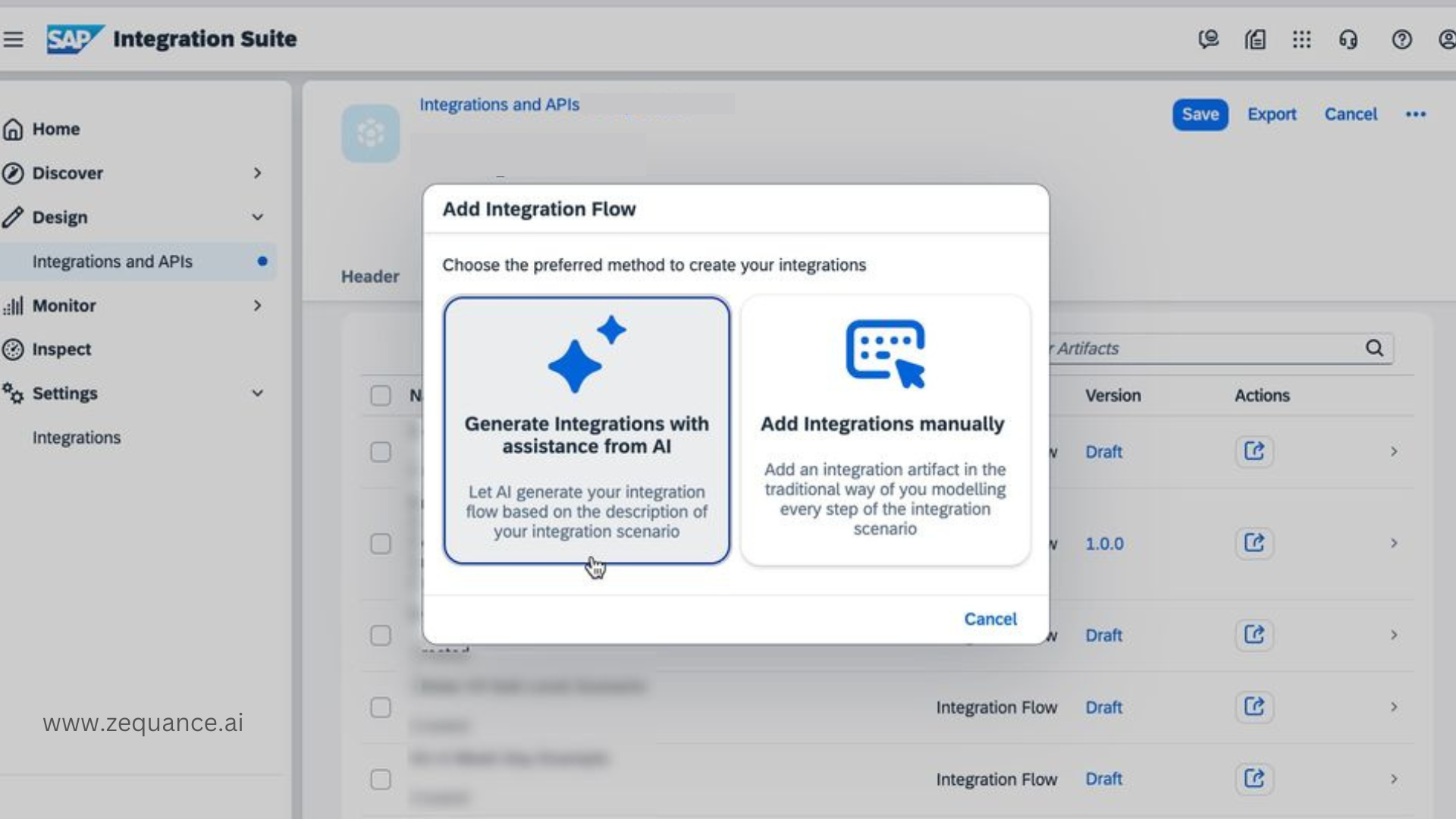
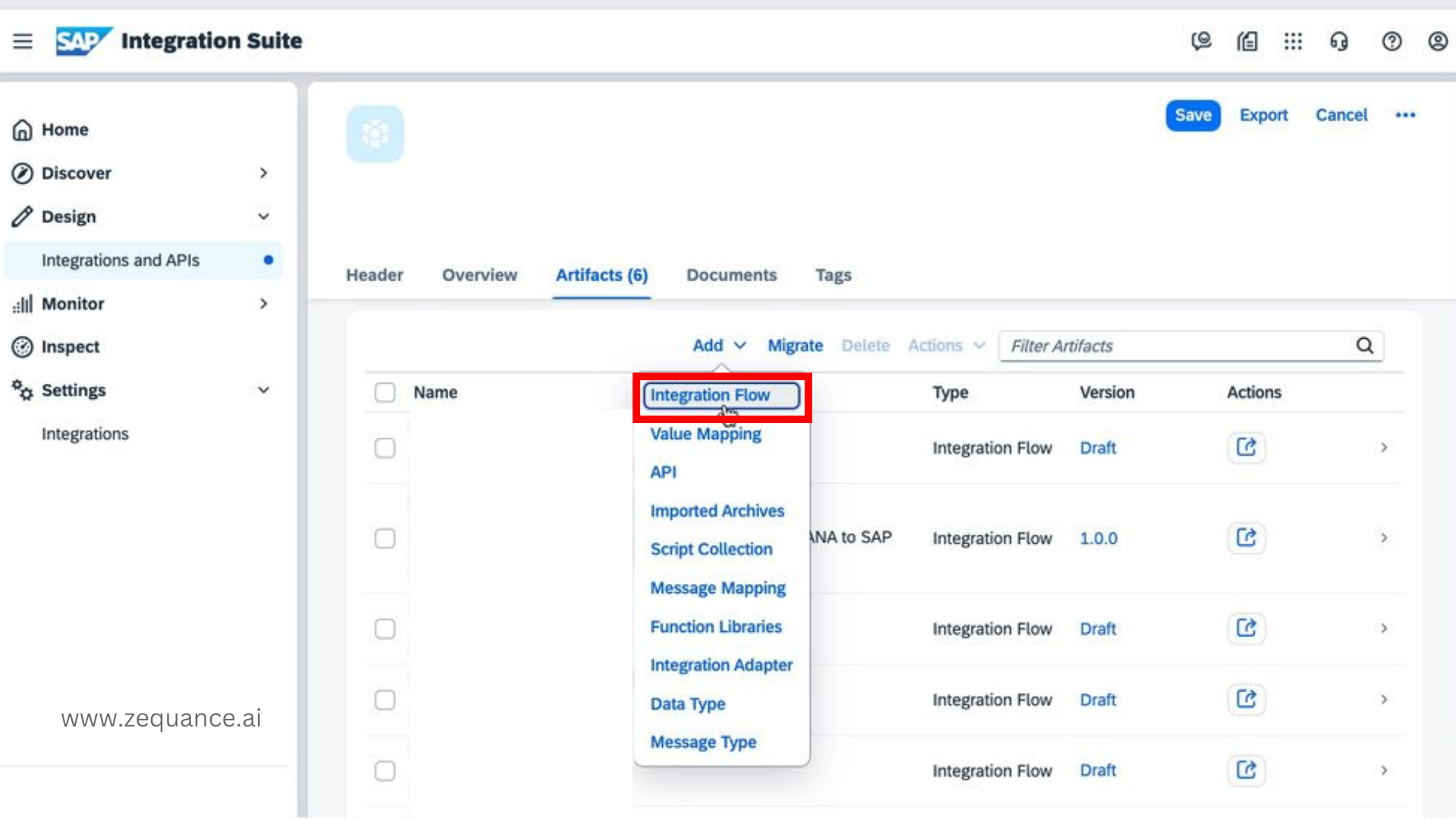
Step 3: Click on Add > Integration Flow.
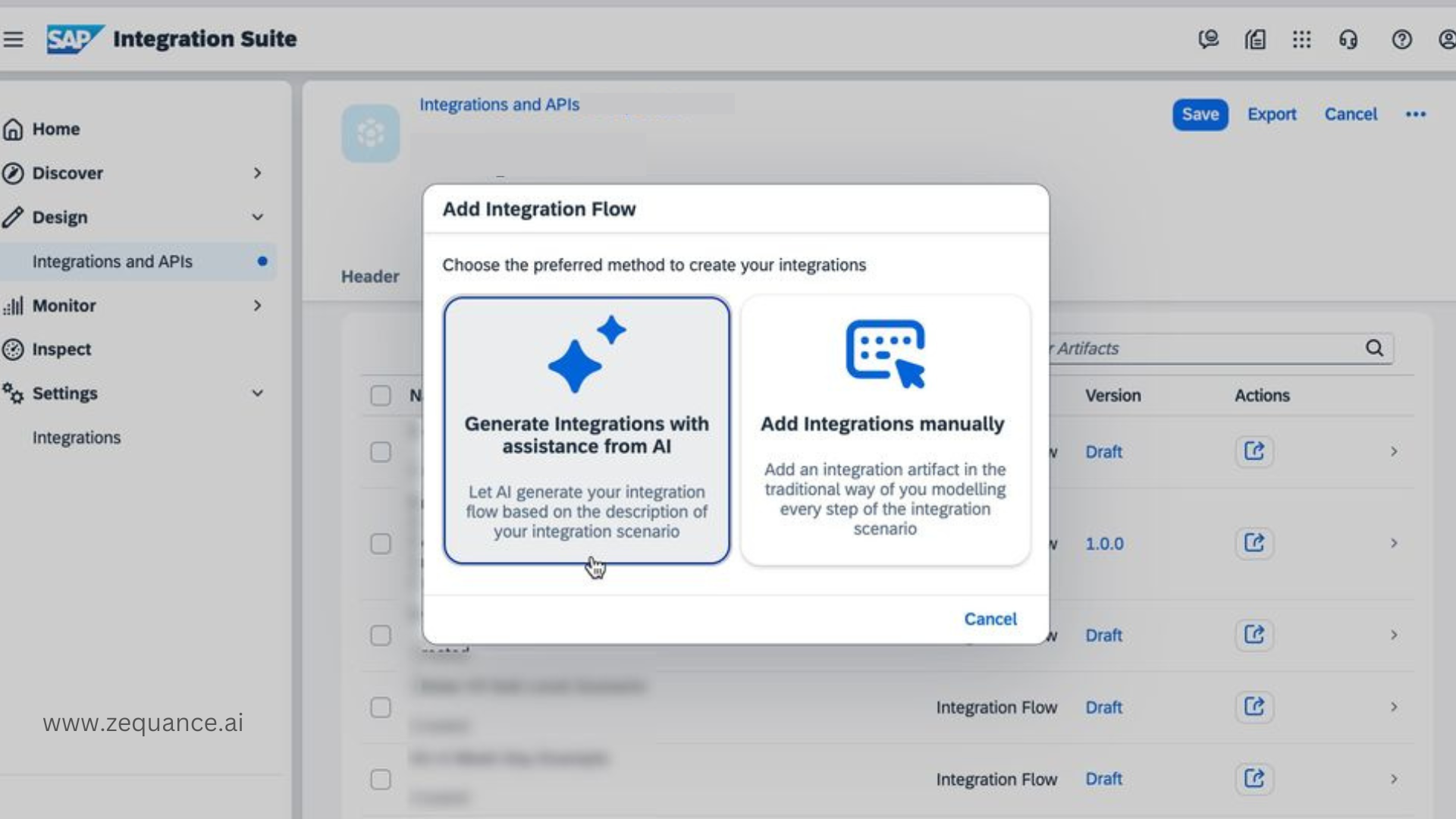
Step 4: Choose Generate Integrations with assistance from AI.
Step 5: Describe the integration scenario and Click Send. You can also choose a sender and receiver system.
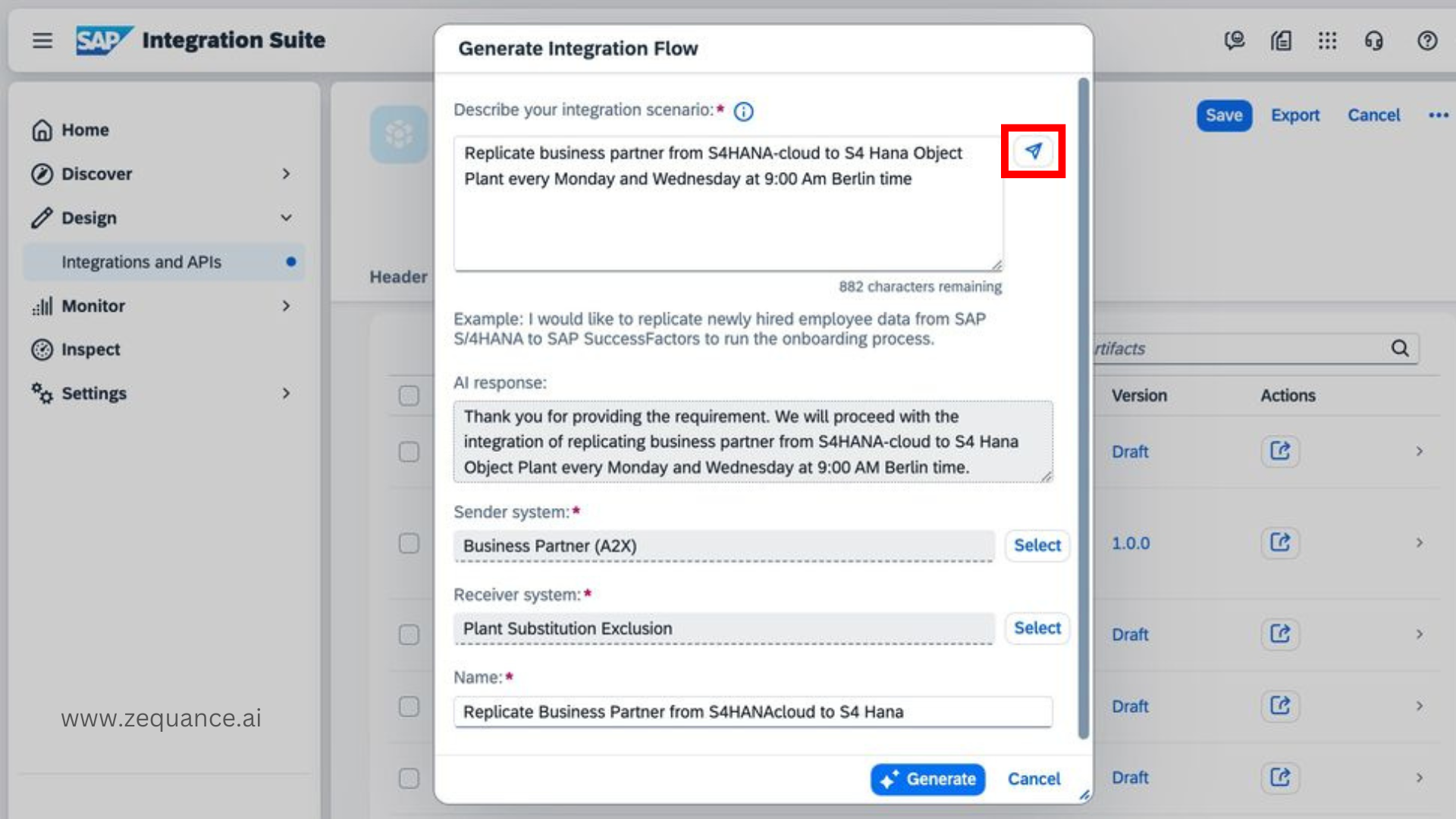
Step 6: Click Generate .
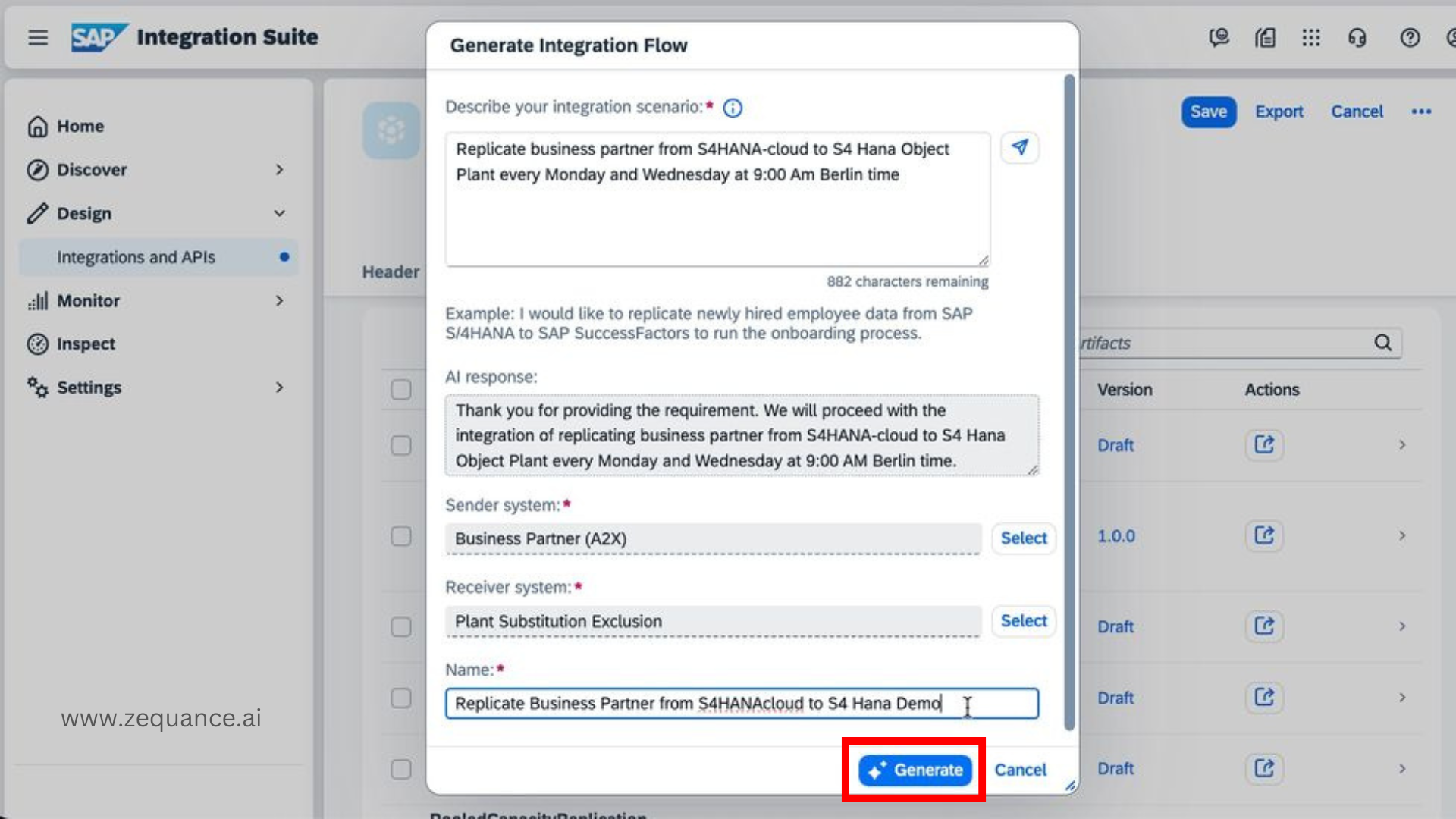
Congrats. you’ve now generated an iflow using the Generative AI-Based Feature in SAP Integration Suite.

Summary
In this blog, we’ve explored the powerful new Generative AI-based integration flow generation feature in SAP Integration Suite, which leverages SAP AI to automate and streamline the creation of integration flows.
By reducing manual effort and simplifying complex workflows, this feature enhances productivity for consultants and ensures more accurate, efficient integrations.
What’s Coming Next (Later This Year)
SAP is pushing this even further with SAP Joule at the center of integration design.
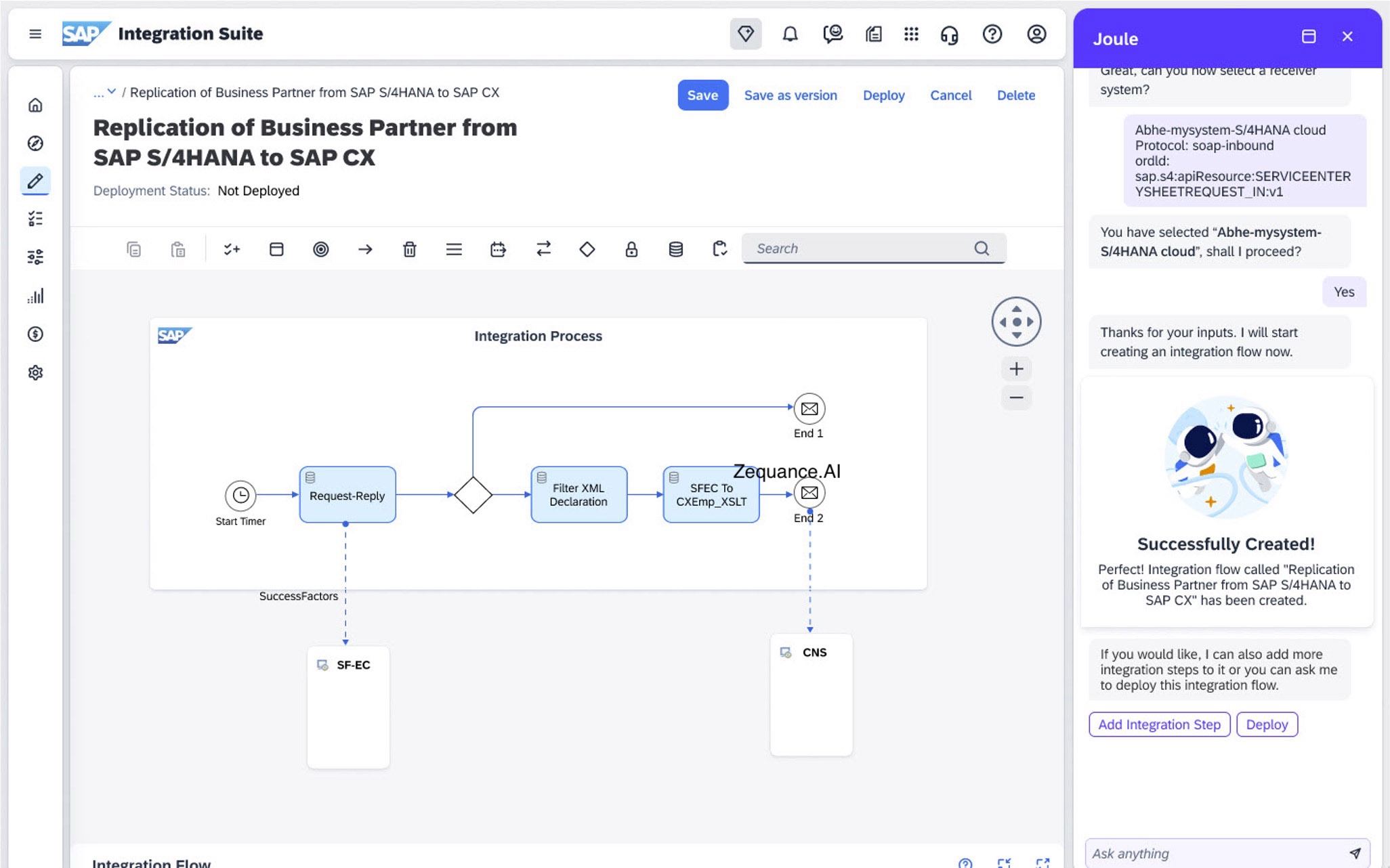
Soon, integration won’t start with dragging components or designing flows manually. You’ll simply describe what you want to integrate — in plain language.
SAP Joule, tightly integrated with SAP Integration Suite, will translate that into integration flows across SAP and third-party systems. Not just generating flows, but helping refine and evolve them as requirements change.
And it doesn’t stop at design.
A new AI-powered anomaly detection capability will continuously monitor APIs and integration performance. When something goes off track — whether it’s unusual errors, traffic spikes, suspicious access, or latency issues — the system will automatically detect it and recommend corrective actions.
This means: faster issue identification, clear insights into root causes, proactive recommendations to fix problems.
For organizations managing complex landscapes, this shifts integration from reactive troubleshooting to intelligent, self-improving operations — improving efficiency while reducing overall cost.

Alma TA is SAP AI Solutions Director at Zequance.AI, specializing in SAP Business AI, Joule, AI Core, and generative AI on SAP BTP. Drawing on her background in data science and enterprise analytics, she turns complex SAP AI concepts into practical guidance for consultants, architects, and business leaders.