SAP Joule Integration with S/4HANA: Architecture, Steps, and Key Insights (2026 Guide)
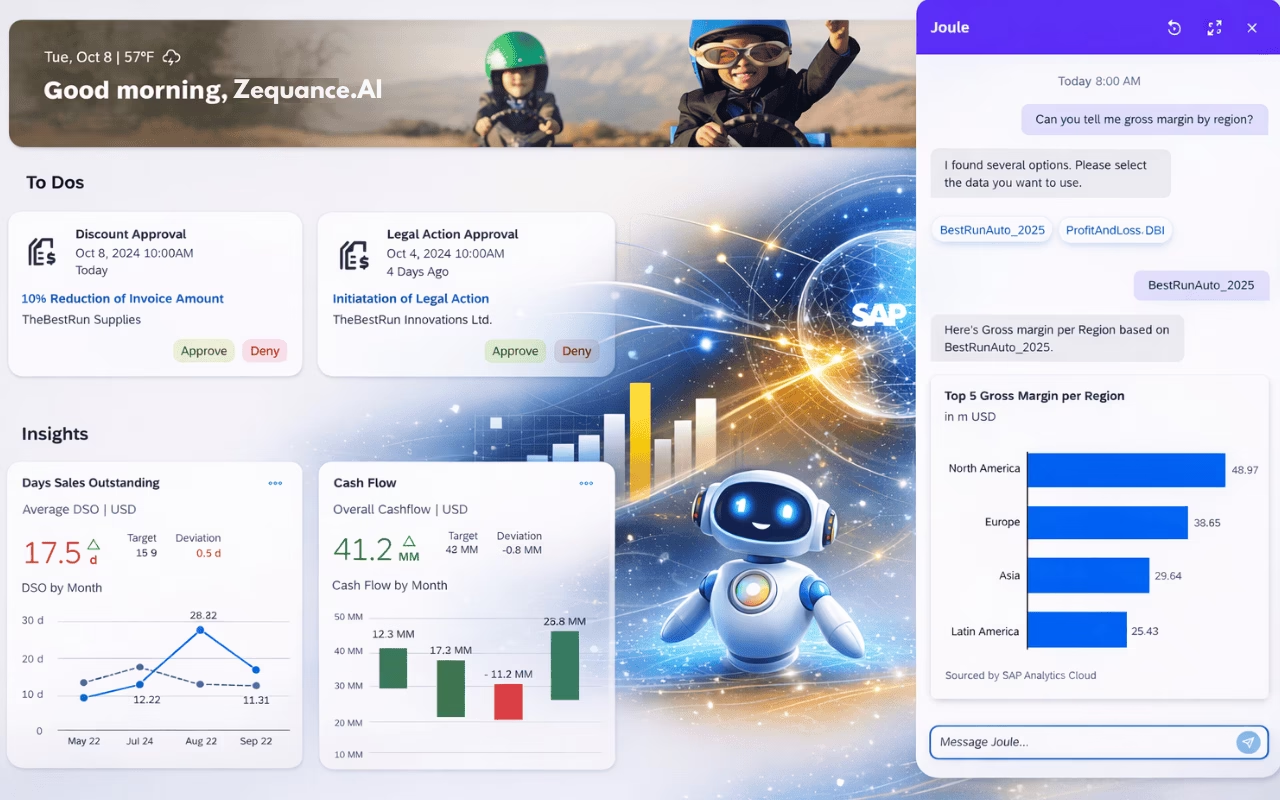
SAP Joule is SAP’s AI-powered assistant designed to transform how users interact with enterprise systems. Instead of navigating complex transactions, users can simply ask questions and receive contextual responses.
In this guide, we explore how SAP Joule integrates with SAP S/4HANA Cloud Private Edition, including architecture, components, and key implementation steps.
For years, working with SAP followed a familiar rhythm: navigate, click, execute, repeat. Every insight was buried inside a transaction code. Every answer required effort. The system held all the knowledge – but it never spoke unless you already knew where to look.
Then SAP introduced SAP Joule, and the paradigm quietly shifted. Instead of going to find the data, the idea became: just ask SAP.
“Show me overdue invoices.” That one sentence now replaces minutes of navigation – but only if the integration behind it is built correctly.
This post is not a step-by-step configuration checklist. It is a guided high level walk through what is actually happening architecturally when you integrate SAP Joule with SAP S/4HANA Cloud Private Edition – and why every layer of that integration matters.
What Is SAP Joule and Where Does It Run?
The natural assumption when you first encounter Joule is that it lives inside S/4HANA – just another embedded feature, like a new Fiori tile or a built-in report. That assumption breaks the moment you look at the actual architecture.
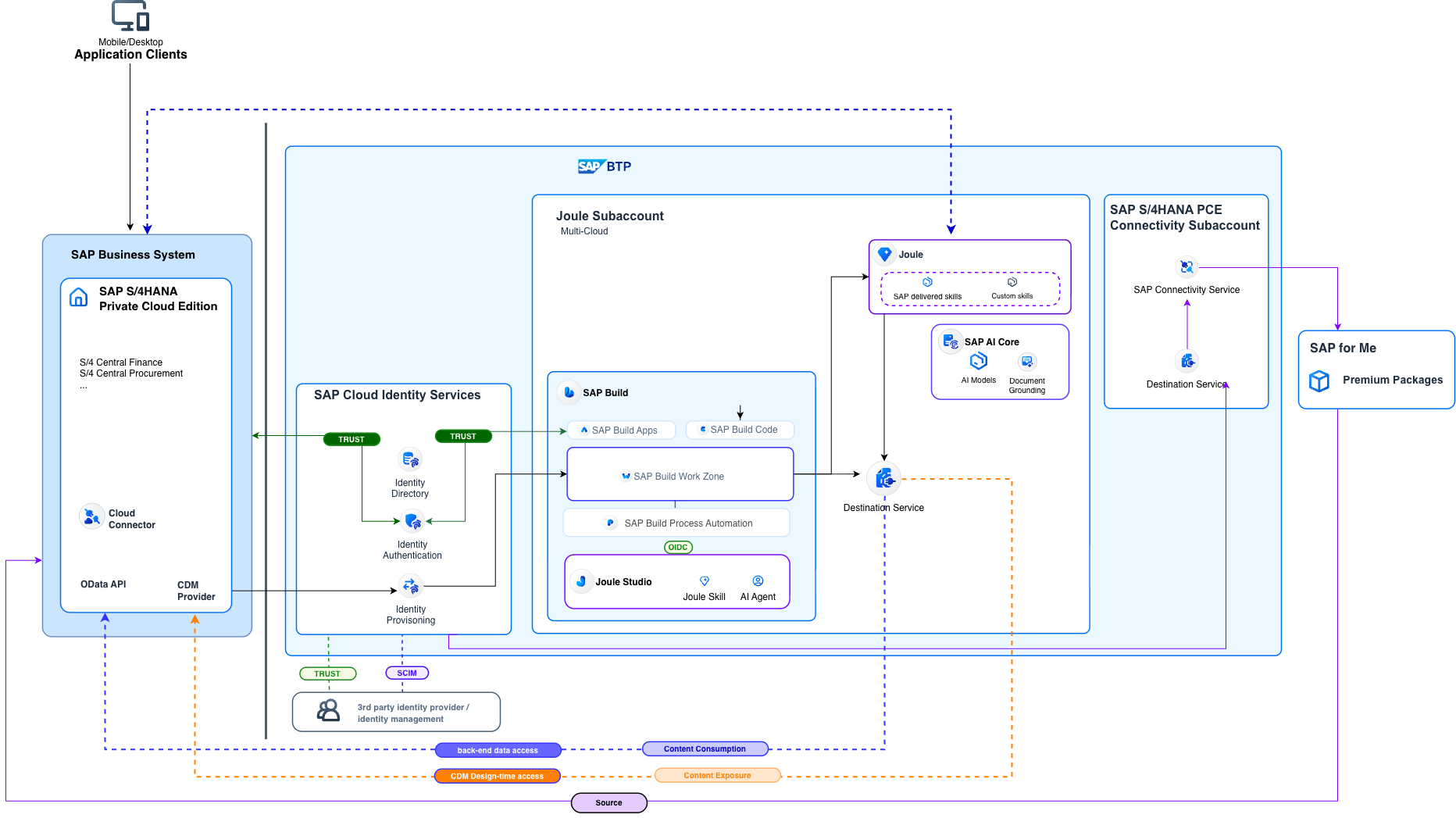
Joule does not live inside S/4HANA. It lives on SAP Business Technology Platform (BTP). This distinction is not a technical footnote. It fundamentally changes how you plan, design, and execute the integration – because Joule has no native awareness of your S/4 system, your users, or your business content. All of that has to be deliberately connected.
SAP Joule Architecture: Key Components Explained
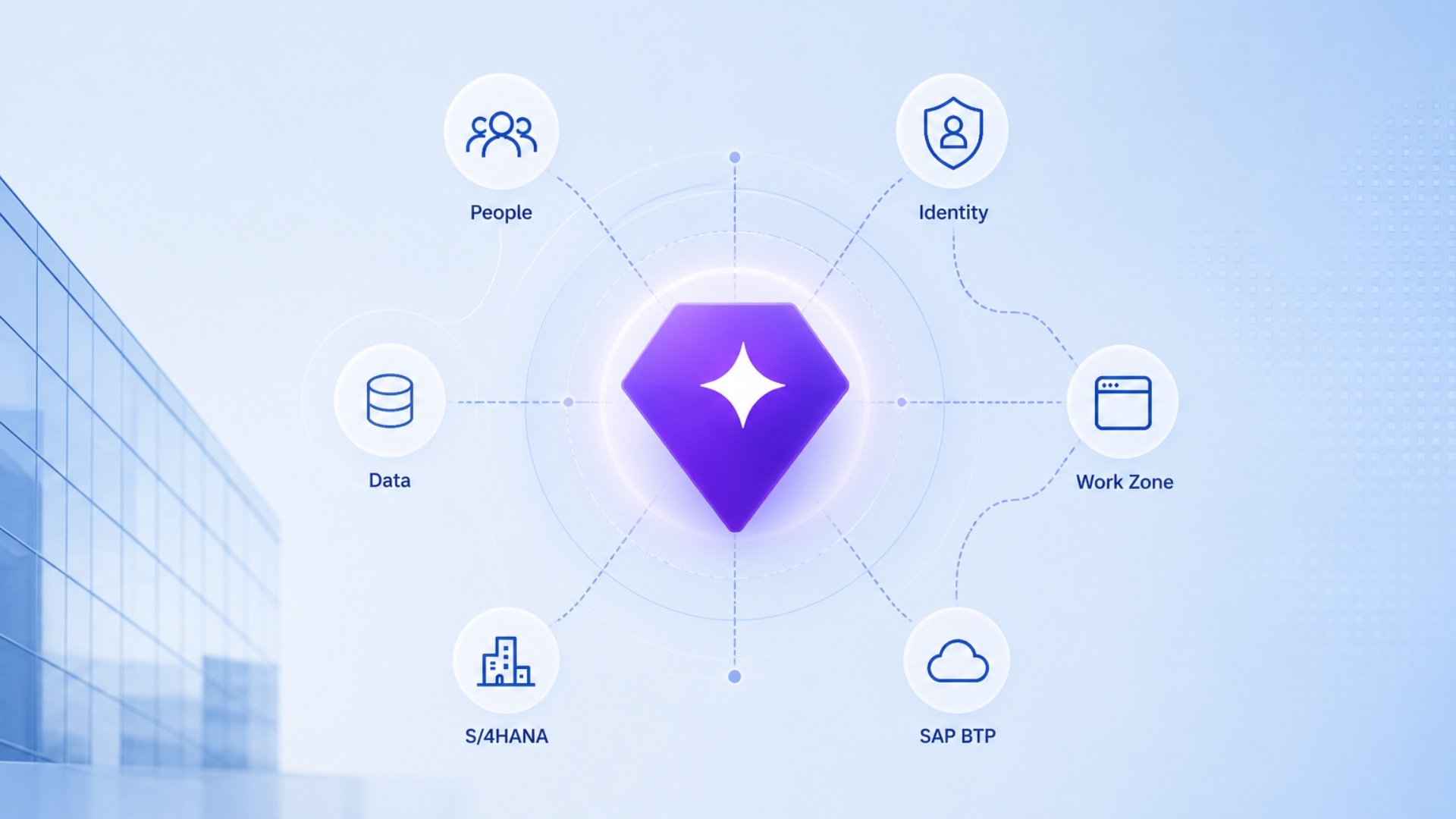
Four systems sit at the center of SAP Joule integration with S/4HANA. Each plays a distinct, irreplaceable role:
| System | Role in the Integration |
|---|---|
| SAP S/4HANA | Your business brain – transactions, data, and processes. |
| SAP Joule | The AI assistant – conversational and context-aware, running on BTP. |
| SAP Build Work Zone | The interaction layer – navigation engine, role manager, and content aggregator. |
| Cloud Identity Services | The trust authority – knows who every user is across every system. |
The critical insight: none of these systems automatically trust each other. None of them share context by default. The entire integration exists to create that trust, alignment, and shared understanding – deliberately, layer by layer.
How SAP Joule Works: End-to-End Flow Explained
To understand why this integration is complex, trace what happens when a user types “Show me overdue invoices” into Joule:
- Joule receives the natural language question.
- It checks the user’s identity via SAP Cloud Identity Authentication.
- It validates their roles and data access permissions.
- It determines which SAP system holds the relevant data.
- It navigates through Work Zone and Fiori app content.
- It fetches the data from S/4HANA through configured endpoints.
- It returns a context-aware, role-appropriate response.
Every step in that chain only works if the integration has been correctly configured. A break at any point means silence – or worse, incorrect output.
SAP Joule Integration Steps with S/4HANA (High Level)
Let’s walk through this like a real implementation journey.
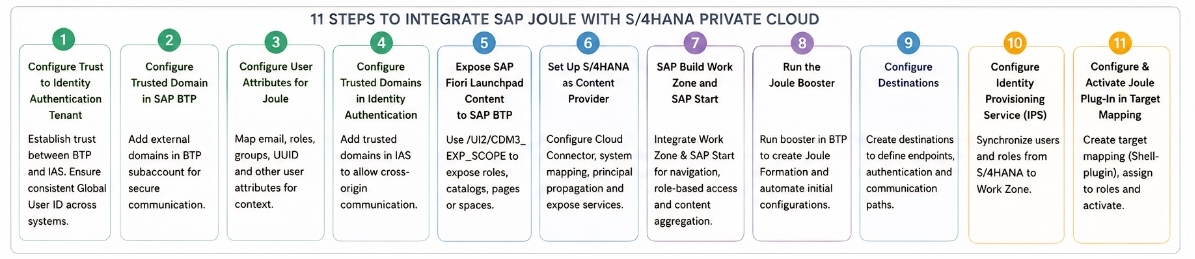
1. Configure Trust to the Identity Authentication Tenant
Everything starts with identity.
Joule depends on SAP Cloud Identity Services to understand:
- Who the user is
- What roles they have
- What data they are allowed to access
This step establishes trust between your SAP BTP subaccount and the Identity Authentication tenant.
Critical requirement:
Every user must exist consistently across all systems with the same Global User ID.
Also remember:
SAP Joule is provisioned on SAP BTP, so your global account, subaccount, and required entitlements must already be in place before starting.
2. Configure Trusted Domain in SAP BTP
Once identity trust is established, systems still don’t communicate freely.
You must explicitly allow communication by configuring trusted domains in SAP BTP.
This ensures:
- Secure cross-system interaction
- Controlled exposure of endpoints
Important:
This is communication-level trust, not identity trust.
Stay Ahead in the SAP + AI Era
Join 10,521+ SAP Professionals mastering SAP AI every week. No spam. Unsubscribe anytime.
3. Configure User Attributes for Joule from the Identity Directory
Identity alone is not enough.
Joule needs context.
You must map:
- First name / Last name
- Groups
- Global User ID (user_uuid)
This is what allows Joule to provide relevant, role-based answers instead of generic responses.
4. Configure Trusted Domains in Identity Authentication
Now you complete the communication layer from the IAS side.
In the Identity Authentication tenant:
- Add trusted domains
- Allow cross-origin communication
Without this:
Systems will block each other-even if identity is configured correctly.
5. Expose SAP Fiori Launchpad Content to SAP BTP
Now we move to content.
Using transaction /UI2/CDM3_EXP_SCOPE, you expose:
- Business roles
- Catalogs
- Spaces / Pages
This step makes your SAP content visible outside S/4, so it can be consumed by other services.
6. Set Up SAP S/4HANA Cloud Private Edition as a Content Provider
This is where S/4 starts “talking” to the outside world.
Using SAP Cloud Connector, you:
- Define system mappings
- Enable principal propagation
- Expose UI, OData, and content services
Important insight:
Only selected resources are exposed – because these endpoints become internet-accessible.
7. SAP Build Work Zone and SAP Start
This is one of the most misunderstood parts.
SAP Build Work Zone is not just a UI layer.
It acts as:
- Navigation engine
- Content aggregator
- Role-based access controller
Joule depends on Work Zone to understand:
- Where applications are
- How to navigate
- What the user can access
Integrate SAP Joule with SAP Build Work Zone and SAP Start by enabling seamless navigation and role-based access to business applications.
Note: Many consultants underestimate Work Zone’s architectural role in this integration. It is not optional.
8. Run the Joule Booster
Now comes orchestration.
The Joule Booster:
- Connects all systems
- Creates the Joule Formation
- Applies initial configurations
Think of it as the step where everything you configured starts working together.
9. Configure Destinations
Now you wire everything together.
Destinations define:
- System endpoints
- Authentication methods (OAuth / SAML)
- Communication paths
This is the integration backbone.
For example:
- Work Zone uses destinations to fetch content from S/4
- Joule uses these connections to interact with backend systems
10. Configure Identity Provisioning Service
Now you synchronize users and roles.
Using IPS, you:
- Sync users from S/4 to Work Zone
- Map roles and groups
- Apply transformations
This ensures:
Joule responses are always role-aware and secure.
11. Configure and Activate Joule Plug-In in a Target Mapping
Finally, Joule becomes visible.
You:
- Create a target mapping (
Shell-plugin) - Assign roles and catalogs
- Activate the plugin
And just like that…
Joule appears inside SAP
Users can interact using natural language
Why SAP Joule Matters for SAP Consultants and Architects
Before starting any Joule implementation, these constraints deserve attention – each one has derailed real projects:
- Joule is BTP-native – it cannot exist without a properly configured BTP environment.
- One Joule instance maps to exactly one Work Zone instance.
- Identity must be unified across all connected systems – without exception.
- Integration is centrally managed through the Joule Formation construct.
- Mixing deployment types (e.g., Public Cloud + Private Cloud S/4) is not supported.
Understanding the constraints upfront is as valuable as understanding the steps themselves.
 Stand Out with
SAP AI Skills
Everyone has SAP experience.
Very few have SAP AI skills.

SAP AI Skills
Very few have SAP AI skills.
What This Means for SAP Professionals
If you are an SAP consultant, architect, or technical lead, this SAP Joule integration with S/4HANA signals a real shift in the competencies your role demands.
The work is no longer primarily about configuring isolated modules. It is about designing connected, intelligent ecosystems – where identity, platform, UI, and AI function as a unified whole.
The professionals who will thrive in this landscape are those who understand not just what to configure, but why each layer exists and how it contributes to the intelligence of the overall system.
If this walkthrough helped clarify the architecture, share it with your network.
And if you’re looking to go deeper into SAP AI and Joule, explore more here: sap-ai.guide

Alma TA is SAP AI Solutions Director at Zequance.AI, specializing in SAP Business AI, Joule, AI Core, and generative AI on SAP BTP. Drawing on her background in data science and enterprise analytics, she turns complex SAP AI concepts into practical guidance for consultants, architects, and business leaders.